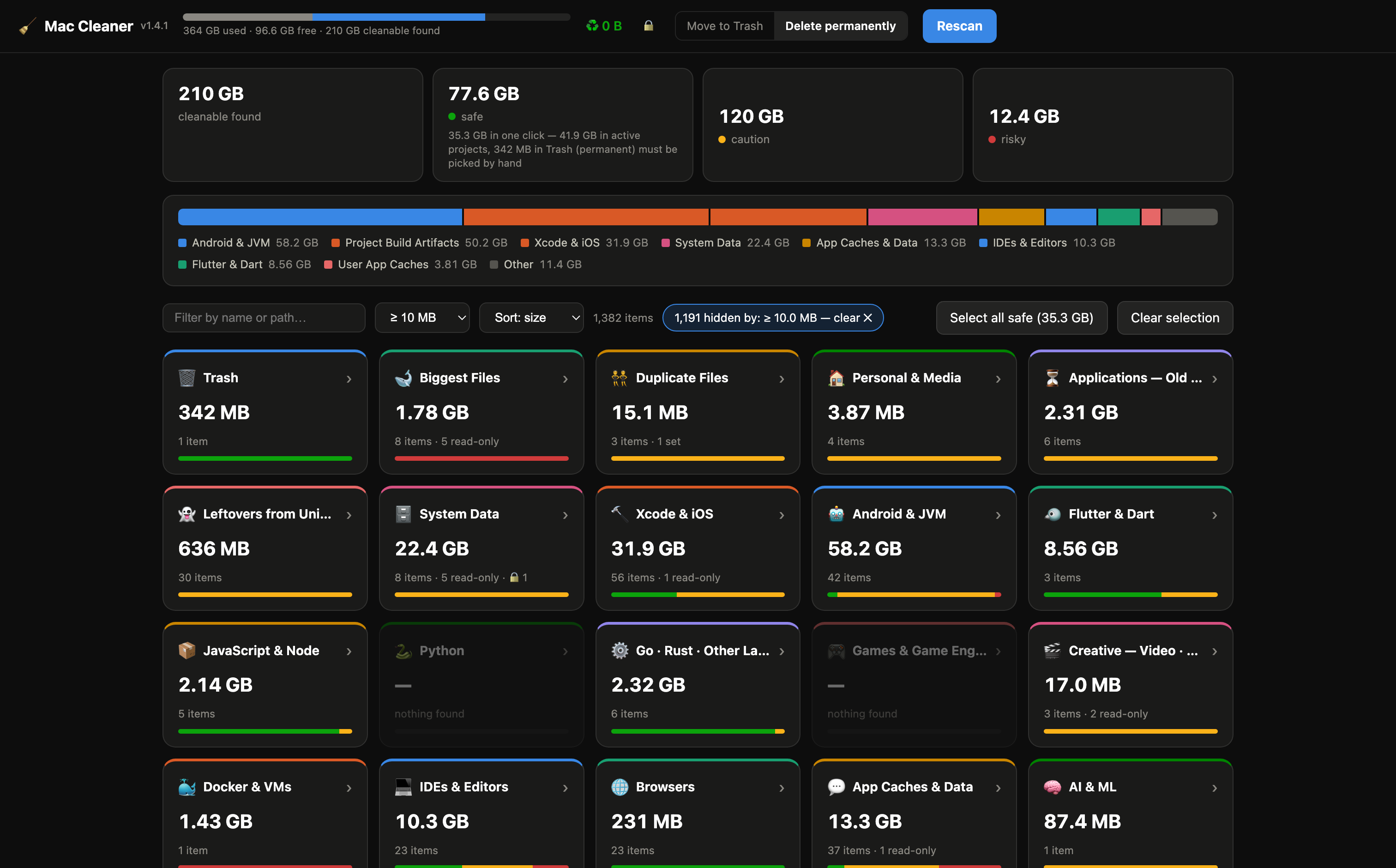
Every Mac fills up — with caches it rebuilds by itself, files saved twice, apps
nobody opens any more, and cloud files quietly kept on the disk. Mac Cleaner finds all of it in
one pass and tells you what is safe to remove, why, and how it comes back.
🙂Normal mode — plain English
Twelve categories anyone can read: System Junk, Duplicate Files, Large & Old Files,
Unused Apps & Leftovers, Mail & Message Attachments, Backups & Updates,
Cloud Files on This Mac. Move to Trash by default, so a mistake is one “Put Back” away.
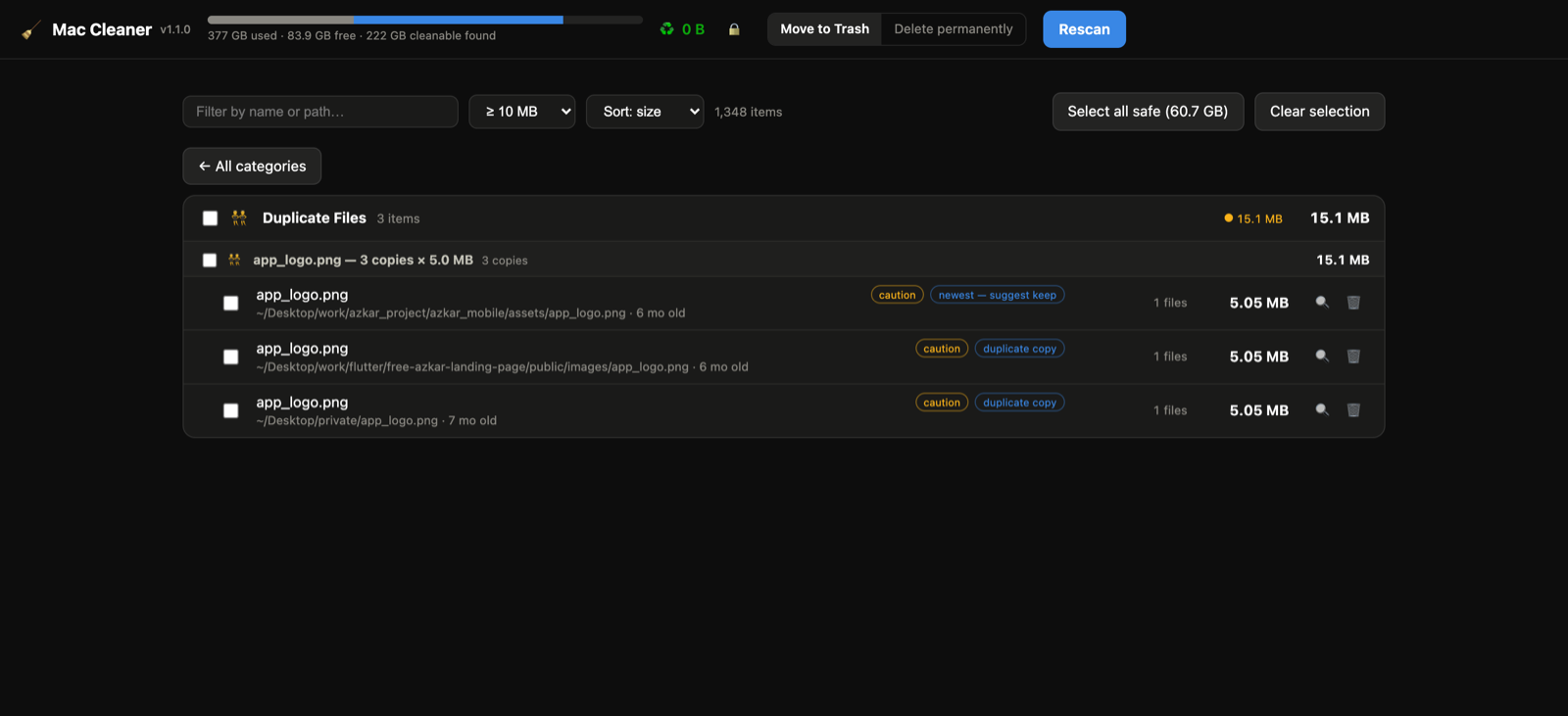
👯Duplicates you can actually judge
Content-hashed, not name-matched, from 1 MB up — with a thumbnail for every set and a
bigger preview on click. Each set says what deleting the extras frees, and one copy is
always kept, no matter what you tick.
⚡️Fast parallel scanning
A worker-thread pool walks your home directory concurrently; results stream in live over
Server-Sent Events — review while it scans.
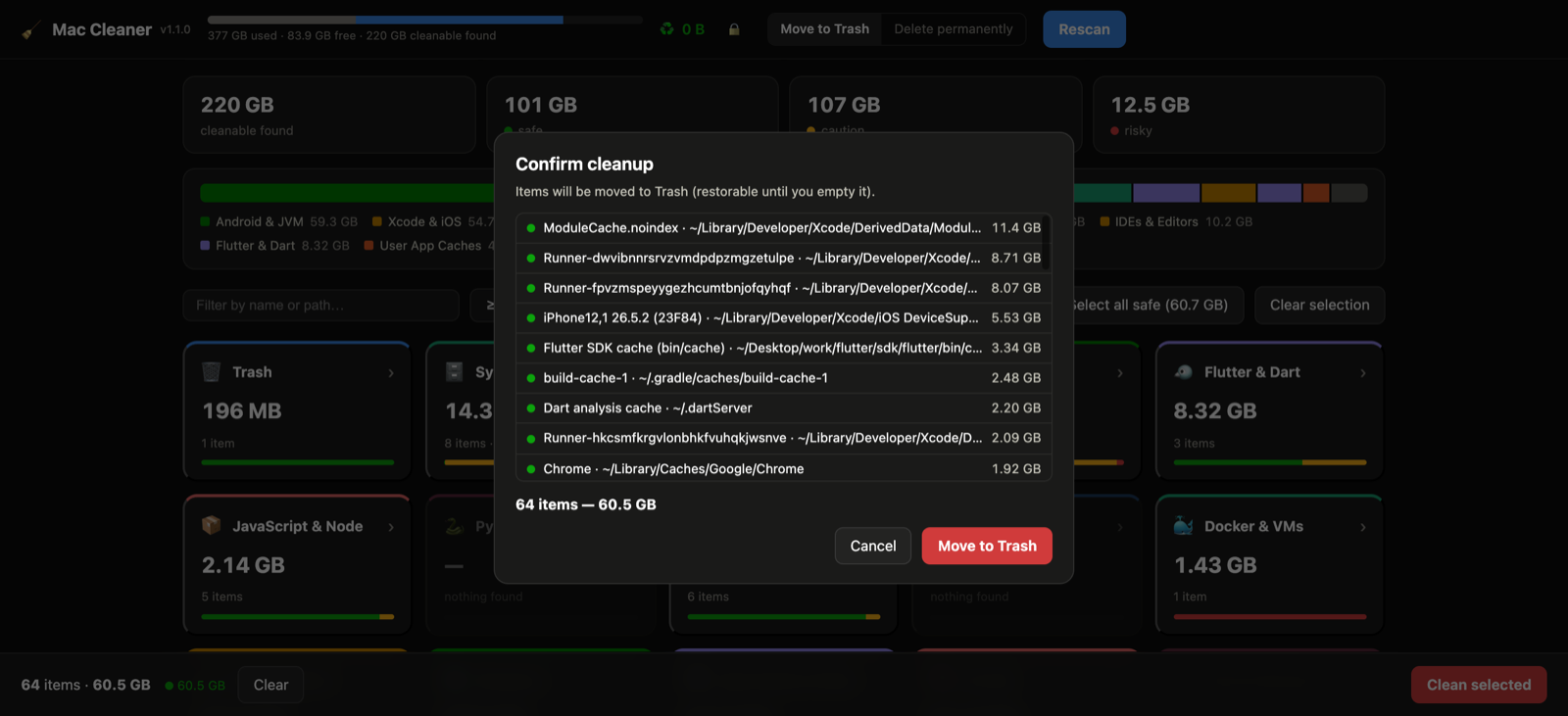
🚦Safety-classified, always manual
Every item is safe, caution or risky — with the reason and the regeneration
path. Nothing is ever deleted automatically, and risky items need explicit acknowledgment.
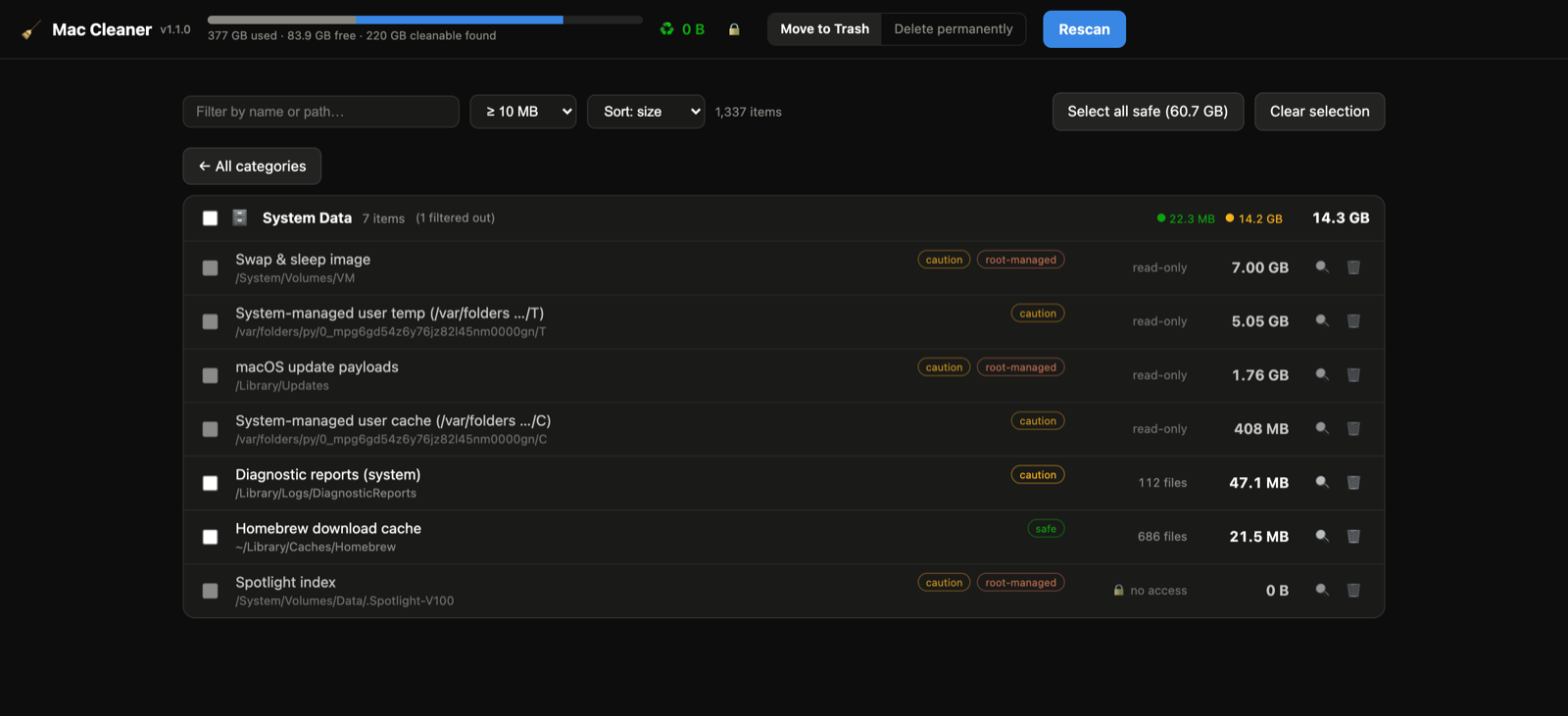
🗄️System Data, explained
The mystery bar in macOS Storage: old iOS device updates, Time Machine local snapshots,
system caches, update payloads, diagnostic reports — sized and explained, with the exact
terminal command when root is required.
🧠Smart cross-checks
Gradle/NDK versions pinned by your real projects are flagged, orphaned iOS simulators
detected, recently-touched projects get an active project badge so you don't nuke
work in progress.
📦Project artifact walker
node_modules, build, .next, Pods,
target, .venv and ~25 more patterns, clustered per project and
gated on sibling files to avoid false positives.
🖥️App and dashboard
Use it as a native Mac app (DMG download) or run the same code as a local web dashboard
with npm start — one codebase, zero dependencies either way.
👯Duplicate finder
Identical files (same size and checksum) clustered into sets — one click selects
every copy except the suggested keeper, so you always keep one. The whole file is read and compared before anything is deleted.
🐋Biggest files, largest first
Every file ≥ 50 MB across your whole home folder — including Movies, Music and
Pictures — in one list, sorted by size. Media libraries are shown but protected.
🏠Not just for developers
Screenshots piling up on the Desktop, Downloads untouched for months, Mail attachment
copies — cleanup for every Mac user, same safety rules.
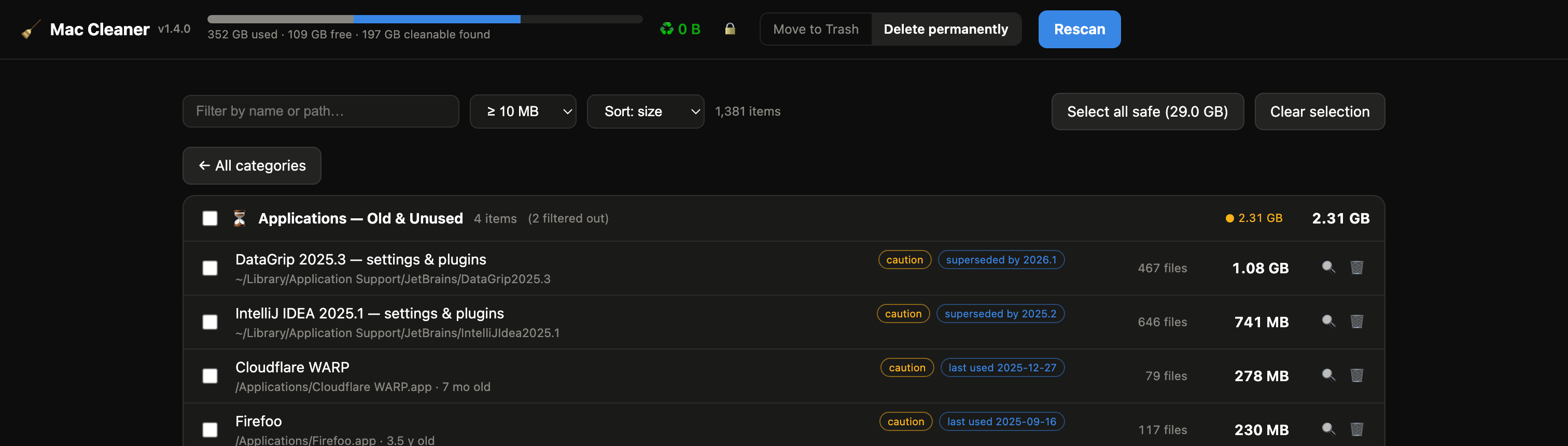
⏳Old & unused apps
Spotlight last-used dates, preference-file activity and the running-process list are
combined to find apps you stopped opening months ago — plus duplicate installs, old
Android Studio / JetBrains version folders, stale Toolbox builds and forgotten 12 GB
macOS installers.
👻Leftovers from uninstalled apps
Dragging an app to the Trash leaves its Application Support and
Containers data behind forever. Those folders are matched against every
installed app and listed when nothing claims them.
🎬Creative workflows too
Premiere / After Effects media cache, DaVinci Resolve render cache and proxies, Final Cut
backups, Lightroom & Camera Raw previews, Capture One, Sketch, Figma, Logic and
GarageBand sound libraries — plus Steam libraries and shader caches.